Nissan 370Z Forum  

DSLR Shots and Discussions

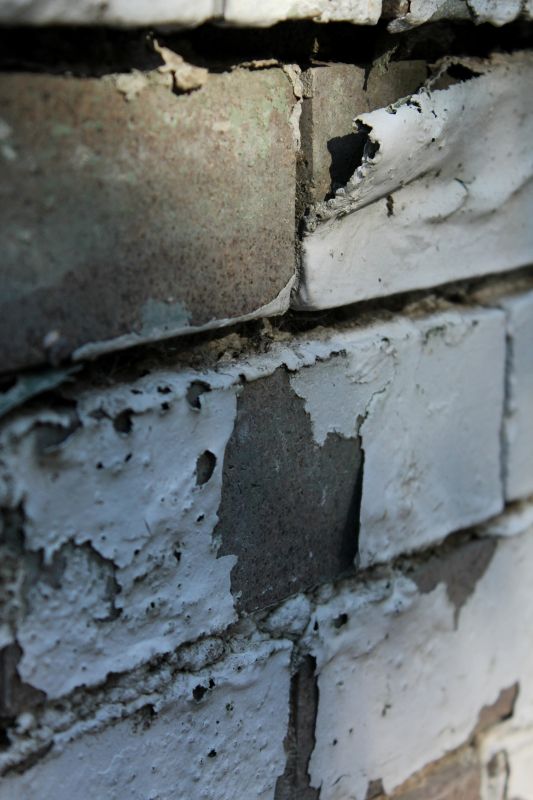
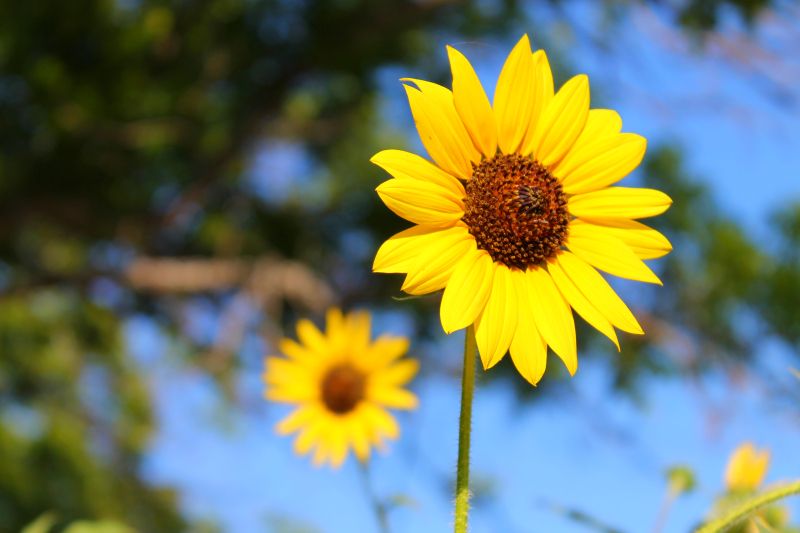
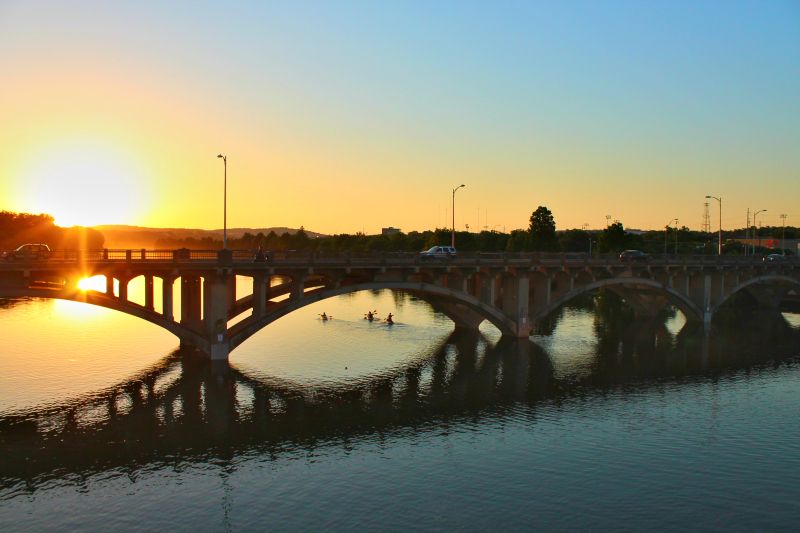
Here are some recent ones. How would you guys edit these differently? What are some "go to" features I should utilize in PhotoShop?

Go Back   Nissan 370Z Forum > Nissan 370Z General Area > The Lounge (Off Topic) > Photography


Like Tree1787Likes

Reply
 
LinkBack Thread Tools Display Modes
Old 06-08-2013, 06:10 PM   #1 (permalink)
A True Z Fanatic
 
Join Date: Jan 2012
Location: Austin
Posts: 14,196
Drives: 2016 Mazda 6
Rep Power: 211846
Pintsize725 has a reputation beyond reputePintsize725 has a reputation beyond reputePintsize725 has a reputation beyond reputePintsize725 has a reputation beyond reputePintsize725 has a reputation beyond reputePintsize725 has a reputation beyond reputePintsize725 has a reputation beyond reputePintsize725 has a reputation beyond reputePintsize725 has a reputation beyond reputePintsize725 has a reputation beyond reputePintsize725 has a reputation beyond repute
Default

Here are some recent ones. How would you guys edit these differently? What are some "go to" features I should utilize in PhotoShop?


__________________
Tracie
Pintsize725 is offline   Reply With Quote
Old 06-08-2013, 07:02 PM   #2 (permalink)
A True Z Fanatic
 
LunaZ's Avatar
 
Join Date: Mar 2010
Location: Vagabond
Posts: 6,704
Drives: Project: a white one
Rep Power: 514
LunaZ has a reputation beyond reputeLunaZ has a reputation beyond reputeLunaZ has a reputation beyond reputeLunaZ has a reputation beyond reputeLunaZ has a reputation beyond reputeLunaZ has a reputation beyond reputeLunaZ has a reputation beyond reputeLunaZ has a reputation beyond reputeLunaZ has a reputation beyond reputeLunaZ has a reputation beyond reputeLunaZ has a reputation beyond repute
Default

Quote:
Originally Posted by Pintsize725 View Post
Here are some recent ones. How would you guys edit these differently? What are some "go to" features I should utilize in PhotoShop?

( Click to show/hide )


Since you've already mastered selective colour, you should start working with adjustment layers.
__________________

2009 370Z Sport/Touring/Navigation | see my journal for mods
facebook: Be my friend... or not.
LunaZ is offline   Reply With Quote
Old 06-08-2013, 07:19 PM   #3 (permalink)
A True Z Fanatic
 
Join Date: Jan 2012
Location: Austin
Posts: 14,196
Drives: 2016 Mazda 6
Rep Power: 211846
Pintsize725 has a reputation beyond reputePintsize725 has a reputation beyond reputePintsize725 has a reputation beyond reputePintsize725 has a reputation beyond reputePintsize725 has a reputation beyond reputePintsize725 has a reputation beyond reputePintsize725 has a reputation beyond reputePintsize725 has a reputation beyond reputePintsize725 has a reputation beyond reputePintsize725 has a reputation beyond reputePintsize725 has a reputation beyond repute
Default

Quote:
Originally Posted by LunaZ View Post
Since you've already mastered selective colour, you should start working with adjustment layers.
Thanks for the direction!
__________________
Tracie
Pintsize725 is offline   Reply With Quote
Old 06-10-2013, 12:50 AM   #4 (permalink)
A True Z Fanatic
 
Boost_lee's Avatar
 
Join Date: Feb 2009
Location: SATX
Posts: 2,813
Drives: 09 370Z TT 6MT
Rep Power: 31
Boost_lee has a reputation beyond reputeBoost_lee has a reputation beyond reputeBoost_lee has a reputation beyond reputeBoost_lee has a reputation beyond reputeBoost_lee has a reputation beyond reputeBoost_lee has a reputation beyond reputeBoost_lee has a reputation beyond reputeBoost_lee has a reputation beyond reputeBoost_lee has a reputation beyond reputeBoost_lee has a reputation beyond reputeBoost_lee has a reputation beyond repute
Default

Quote:
Originally Posted by Pintsize725 View Post
Here are some recent ones. How would you guys edit these differently? What are some "go to" features I should utilize in PhotoShop?
( Click to show/hide )


Those look great Tracie! If I had to add anything, I would maybe use the clone tool to remove the light posts and power lines on #1. #3 is great as is. #4 I would recompose the shot a little so the popsicle doesn't get cut out of the picture
__________________
My TT Z
Boost_lee is offline   Reply With Quote
Old 06-10-2013, 08:41 AM   #5 (permalink)
A True Z Fanatic
 
Join Date: Jan 2012
Location: Austin
Posts: 14,196
Drives: 2016 Mazda 6
Rep Power: 211846
Pintsize725 has a reputation beyond reputePintsize725 has a reputation beyond reputePintsize725 has a reputation beyond reputePintsize725 has a reputation beyond reputePintsize725 has a reputation beyond reputePintsize725 has a reputation beyond reputePintsize725 has a reputation beyond reputePintsize725 has a reputation beyond reputePintsize725 has a reputation beyond reputePintsize725 has a reputation beyond reputePintsize725 has a reputation beyond repute
Default

Quote:
Originally Posted by Boost_lee View Post
Those look great Tracie! If I had to add anything, I would maybe use the clone tool to remove the light posts and power lines on #1. #3 is great as is. #4 I would recompose the shot a little so the popsicle doesn't get cut out of the picture
Thanks Boost! I'm only using Photoshop Touch for tablets at the moment so I'm not sure if the clone tool is available or not. I'll scope it out.
__________________
Tracie
Pintsize725 is offline   Reply With Quote
Reply

Bookmarks


Posting Rules
You may not post new threads
You may not post replies
You may not post attachments
You may not edit your posts

BB code is On
Smilies are On
[IMG] code is On
HTML code is Off
Trackbacks are On
Pingbacks are On
Refbacks are On


Similar Threads
Thread Thread Starter Forum Replies Last Post
DSLR advice Red__Zed Photography 48 08-29-2013 09:04 PM
AUDIO : Bose w/o Nav Upgrades Discussions Mr_Z Audio & Video 14 06-24-2013 01:06 AM
Fluid Swap Discussions '10Anamoly Engine & Drivetrain 8 05-18-2012 09:33 AM
Best Lens for Nikon DSLR? tmjohansen Photography 5 01-25-2011 04:54 PM
Winter Prep + New DSLR toxik Nissan 370Z Photos / Spyshots / Video / Media Gallery 8 11-27-2010 05:16 PM


All times are GMT -5. The time now is 01:55 AM.


Powered by vBulletin® Version 3.8.4
Copyright ©2000 - 2026, Jelsoft Enterprises Ltd.
Search Engine Optimization by vBSEO 3.6.0 PL2